Work
Keep project folders, tools, and a focused wallpaper ready.
Free to start
Switch wallpapers, desktop items, icon layouts, and apps together with a mode made for what you are doing.
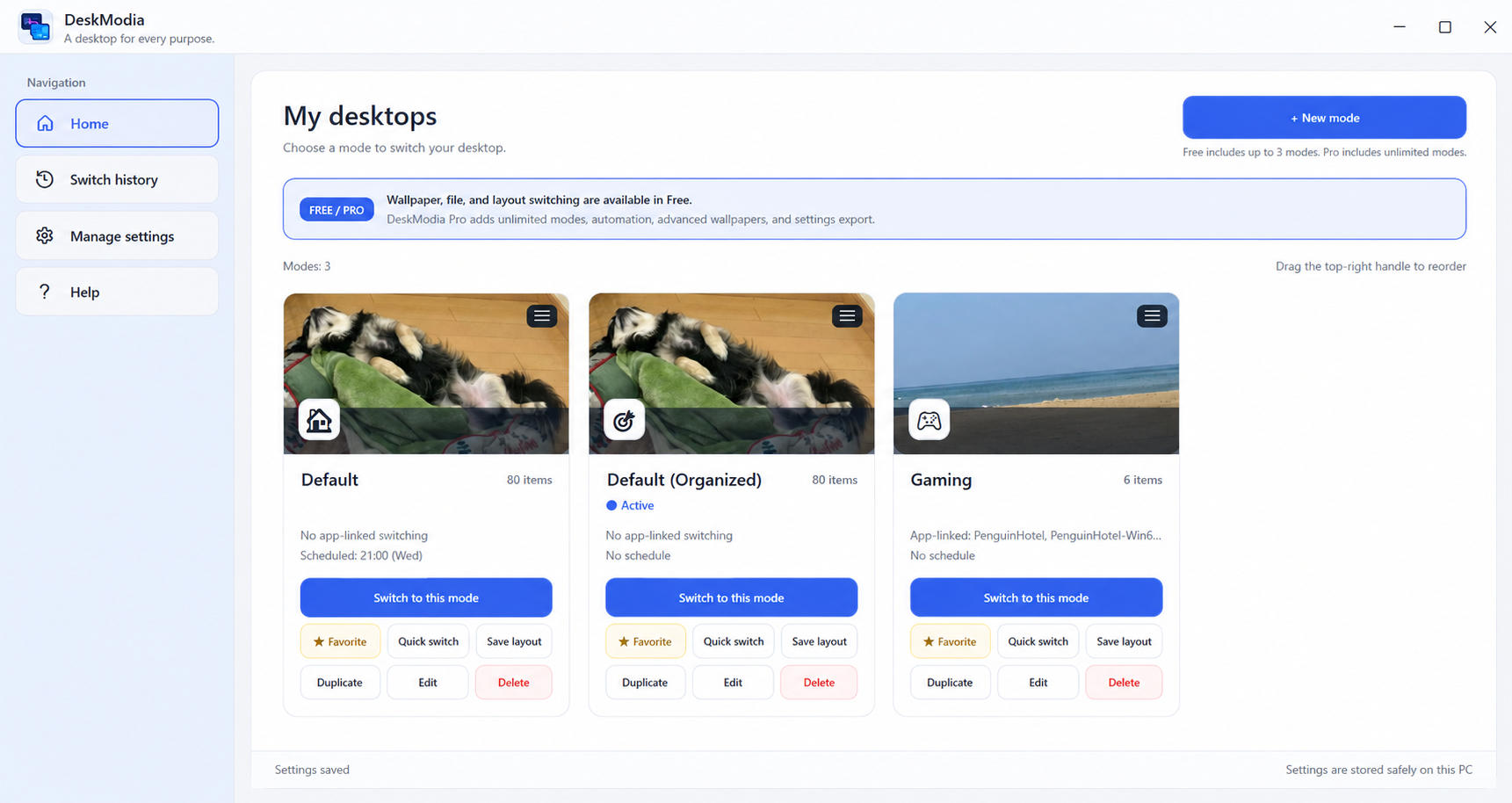
Create a mode for each part of your day, then move between them without rebuilding your desktop by hand.
Keep project folders, tools, and a focused wallpaper ready.
Bring games and a lighter desktop forward when it is time to switch.
Reduce what is visible and open only the apps you need.
Build modes around the way you already use Windows.
DeskModia coordinates the parts of your Windows desktop that usually need to be changed one by one.
Switch between desktop modes for different purposes.
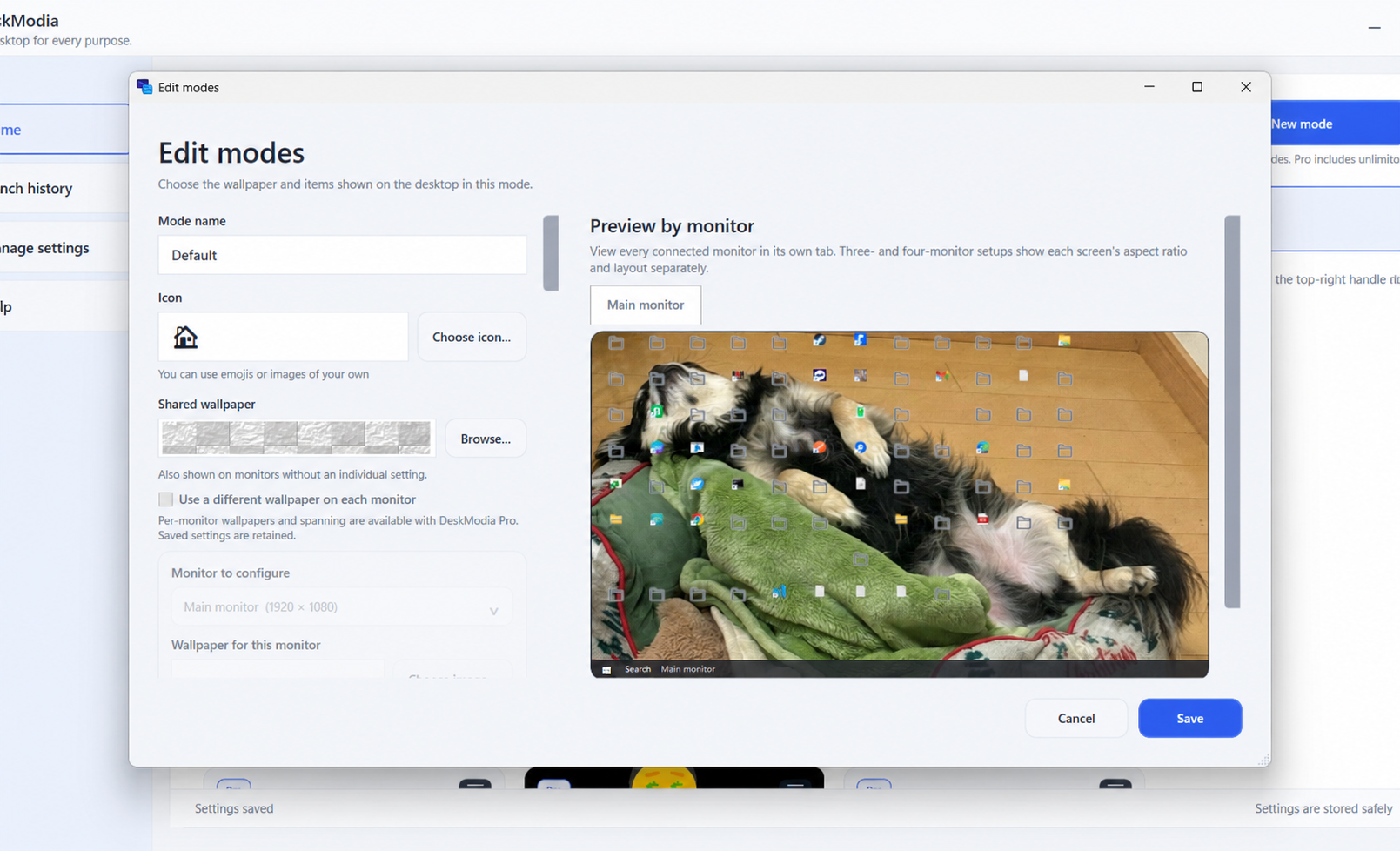
Configure wallpapers, desktop items, and icon layouts for each mode.
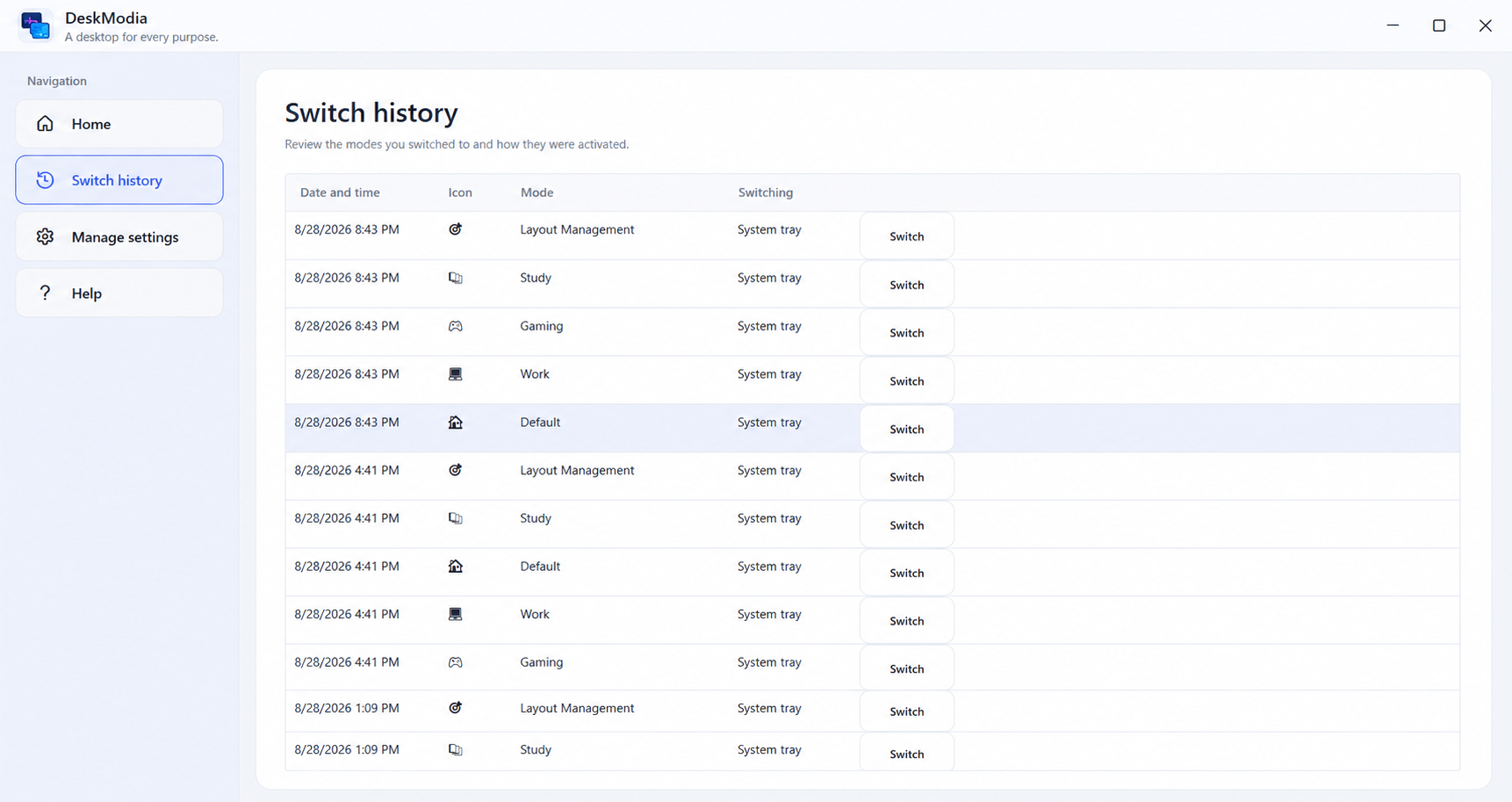
Review previous mode switches and quickly reuse them.
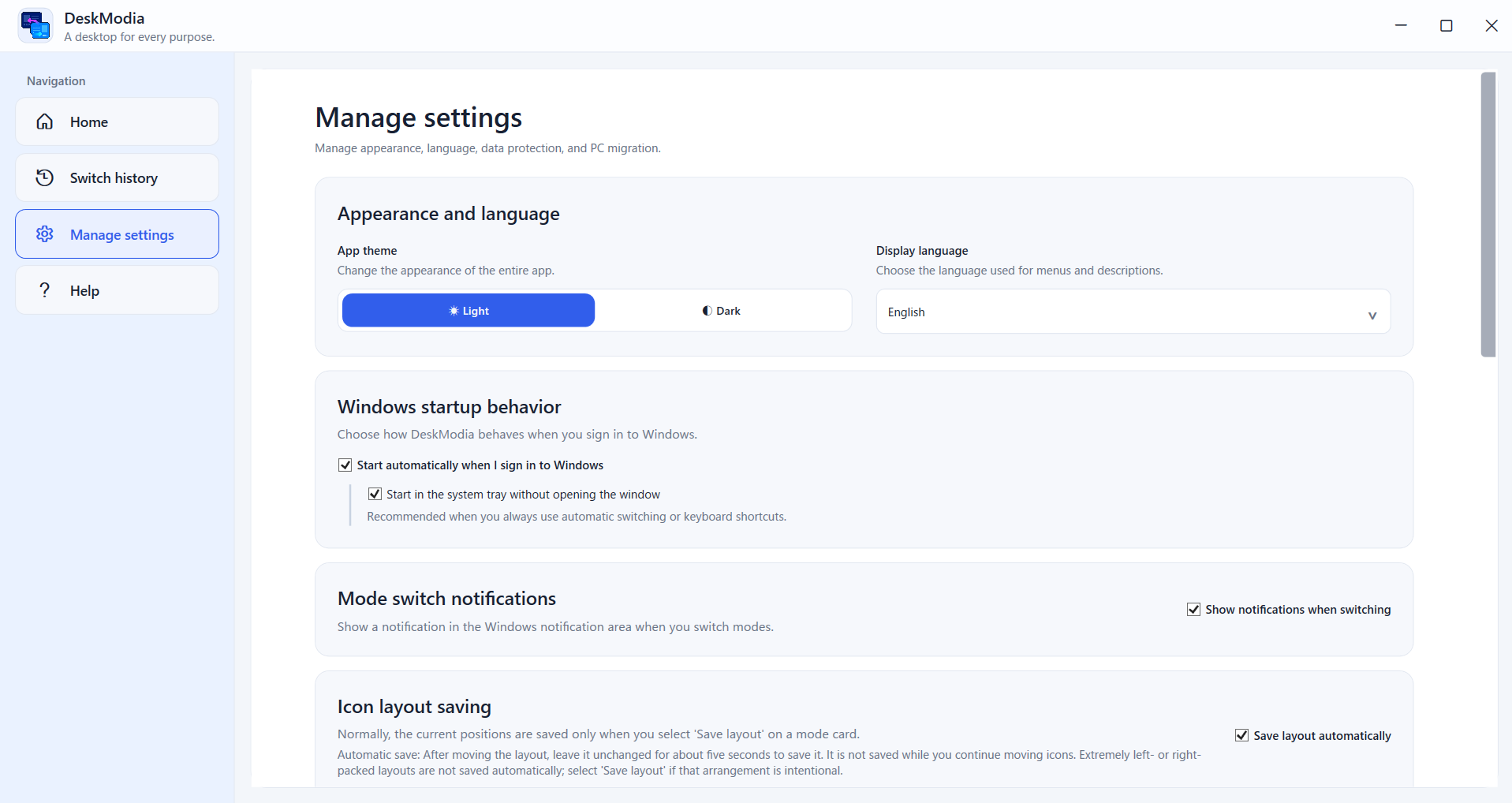
Manage appearance, language, startup, notifications, and layout settings.
Give every mode its own wallpaper, visible desktop files and folders, and saved icon layout.
Change modes directly, with a keyboard shortcut, when a chosen app runs, or on a weekday schedule.
Open selected applications with a mode and retain layouts for different monitor arrangements.
Use local backups and recovery records, restore the original desktop, or export portable mode settings to another PC.
Free & Pro
DeskModia Free covers everyday desktop switching: up to three modes you create yourself, wallpapers, desktop files and folders, saved icon layouts, the standard Windows desktop icons, basic multiple-monitor support, favorites, and import and restore.
The Microsoft Store version has no DeskModia-operated telemetry, analytics, advertising, cloud sync, or automatic log upload.
Read the Privacy PolicyDeskModia is available on the Microsoft Store for Windows 11.